CUDA Example: Stream Callbacks

The NVIDIA CUDA Example simpleCallback shows how to use the CUDA function  cudaStreamAddCallback to introduce a callback once CUDA has processed the stream up to the point that the callback was added. This may be used to asynchronously call kernels and wait for their completion or provide status updates on processing.

The key function in the example is

checkCudaErrors(cudaStreamAddCallback(workload->stream, myStreamCallback, workload, 0));

That injects the callback into the stream. The example creates several workers that are executed asynchronously but instead of using cudaDeviceSynchronize block the CPU until all the kernels complete, it uses a more subtle barrier synchronization and waits for that.

A Stackoverflow response from user jet47 concisely shows how to use callbacks with classes using a static member function:

class MyClass
{
public:
    static void CUDART_CB Callback(cudaStream_t stream, cudaError_t status, void *userData);

private:
    void callbackFunc();
};

void CUDART_CB MyClass::Callback(cudaStream_t stream, cudaError_t status, void *userData)
{
    MyClass* thiz = (MyClass*) userData;
    thiz->callbackFunc();
}

void MyClass::callbackFunc()
{
    // implementation here
}

MyClass* obj = new MyClass;
cudaStreamAddCallback(GpuStream, MyClass::Callback, obj, 0);
 

CUDA Example: Vector Addition

The NVIDIA CUDA SDK Example shows how to do an extremely simple vector addition in CUDA using the following kernel:


__global__ void
vectorAdd(const float *A, const float *B, float *C, int numElements)
{
    int i = blockDim.x * blockIdx.x + threadIdx.x;

    if (i < numElements)
    {
        C[i] = A[i] + B[i];
    }
}

Three blocks of memory are allocated on the card: the two source vectors and a destination vector. The kernel is then launched with 256 threads per block and as many blocks as necessary to cover the vector.

    int threadsPerBlock = 256;
    int blocksPerGrid =(numElements + threadsPerBlock - 1) / threadsPerBlock;
    printf("CUDA kernel launch with %d blocks of %d threads\n", blocksPerGrid, threadsPerBlock);
    vectorAdd<<<blocksPerGrid, threadsPerBlock>>>(d_A, d_B, d_C, numElements);

Note that if the vector is not a multiple of 256 then the if statement in the kernel will prevent adding items beyond the end. At the time of this writing (Jan 2015 on CUDA 6.5) the behavior will be that a branch in the code will first execute the kernels that execute TRUE and then all kernels that execute the FALSE branch. Since the FALSE branch is null, this is quite simple. However, it is still something to watch for.

The output is as follows:

[Vector addition of 50001 elements]
 Copy input data from the host memory to the CUDA device
 CUDA kernel launch with 196 blocks of 256 threads
 Copy output data from the CUDA device to the host memory
 Test PASSED
 Done
 Press any key to continue . . .

Z-Order Curve and Wavelets

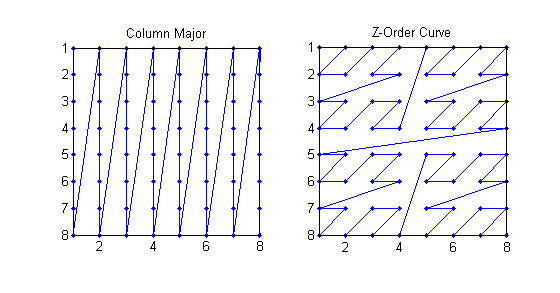
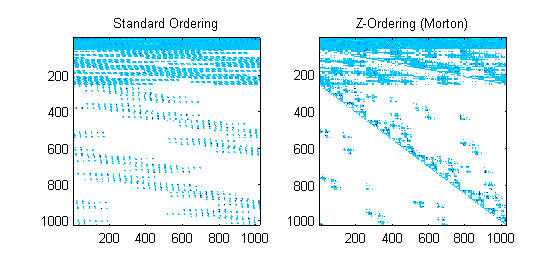
The Z-Order (Morton) Curve describes an ordering a 2-D image in memory so that points in the image that are close in Euclidean distance are similarly close in memory. It can be compared to column-major ordering where pixels are simply lined up according to columns. This makes indexing easy but breaks all locality and can make linear transformations appear overly complex.

ColumnMajorVersusZOrderI wanted to visualize how this ordering changes locality be visualizing the wavelet transform that has been similarly modified to account for an image being placed in memory with the z-order curve. By placing each 2D wavelet as a row in the matrix and then displaying it as an image we get the following:

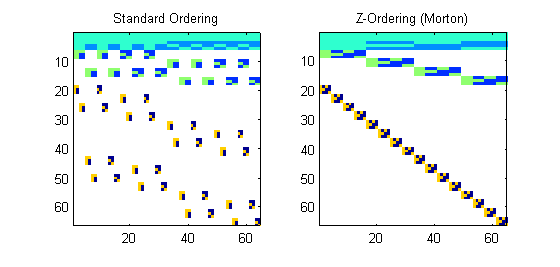
First, the Haar wavelets for an 8×8 image:

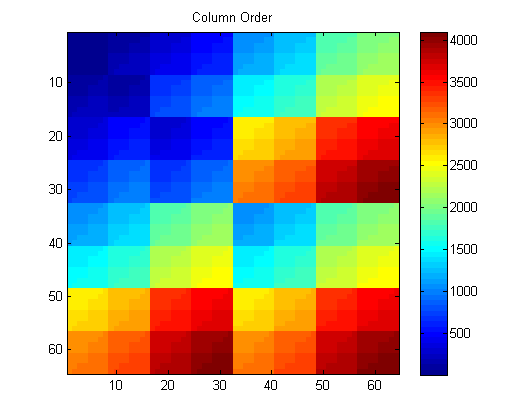
ordering_8x8_haarNotice how the column major ordered wavelets have large breaks that scatter the pieces of each wavelet across memory. However, the properly z-ordered image results in a stacked, block diagonal transform. Note that special care has to be taken since the wavelets are stored in levels and for the Wxx Wxy and Wyy. We stack the wavelets in an order from the largest level to smallest. Then, for each level, we group together wavelets for each pixel so that the result is the strong block diagonal patterns. For example, the row order for the matrix may be as show here:

columnOrderWhere we start in the top left and then for each levels quadrant we move in the z-order curve for that quadrant.

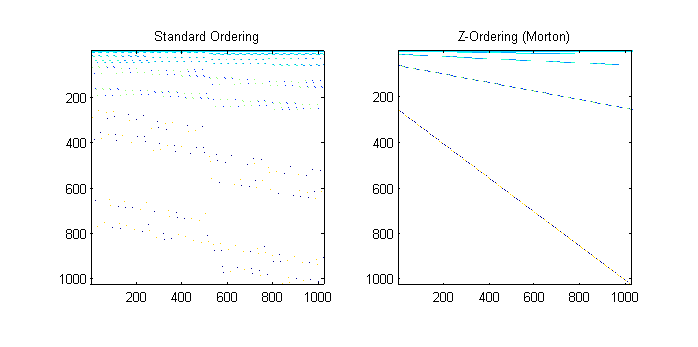
Large matrices result in more fragmented memory for column major order, while the z-ordering preserves the diagonal pattern.

ordering_32x32_haarFor Daub8 wavelets the picture is not as clean because the nonzero terms do not fall on example powers of two, but there is still strong structure and the non-zero terms are concentrated:

ordering_32x32_daub8The code used to create the ordering is by  Ravi Lakkundi  from Mathworks File Exchange (BSD License) and is:

function A = mapping(n)
% To create a Morton Scan order matrix
if n == 2
A = [1 2; 3 4];
else
B = mapping(n/2);
A = [B B+(n/2)^2; B+(n/2)^2*2 B+(n/2)^2*3];
end

Blind Deconvolution with Feathered Hybrid Image

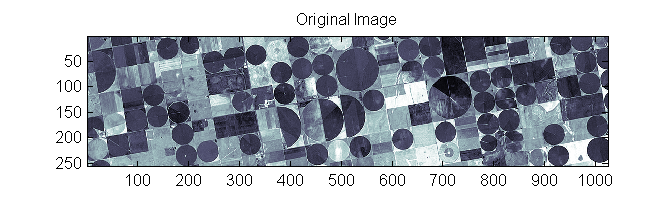
A slight modification can be made to the previous example of deconvolving an image with kernel that varies by blocks. Again we take the original image:

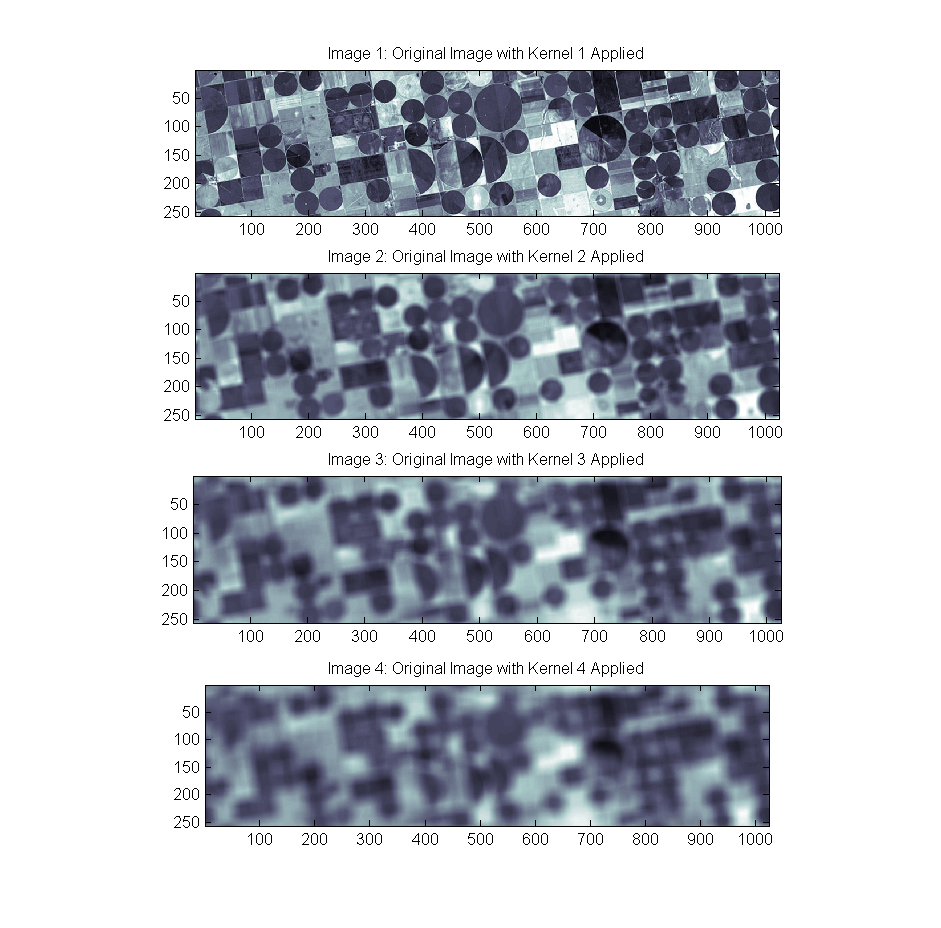
Original ImageBlur it with four different box kernels:

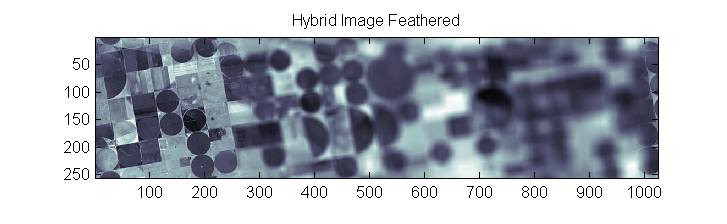
BlurImages1to4And then combine 256 x 256 blocks from each of the blurred images to create a hybrid image with a block-varying kernel. This time I feather the boundary of each block  so that there are no hard boundaries. This is done in the hopes of reducing the ringing effects. We do not only the boundaries in the image but also on the outsides edges of the image with the top/bottom and left/right:

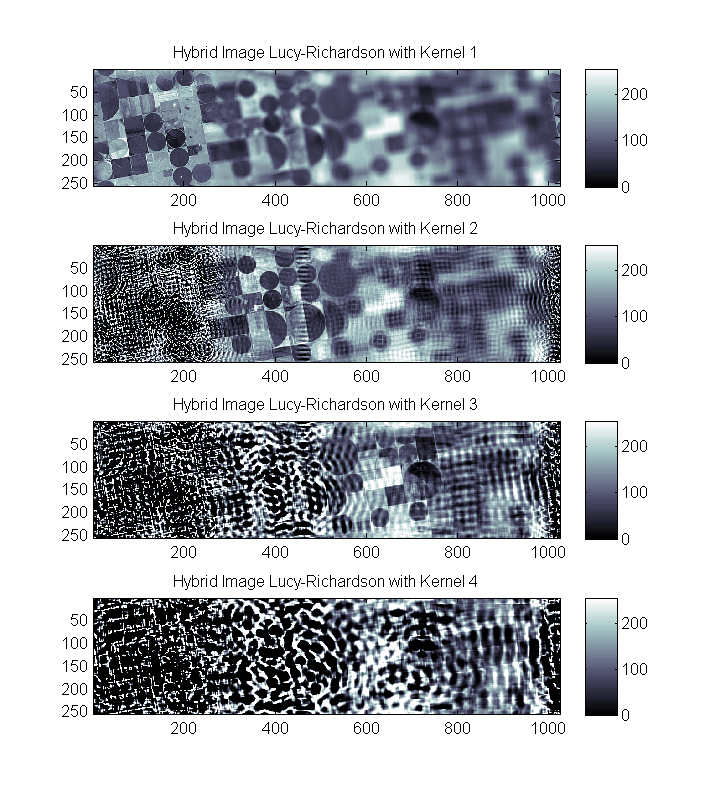
HybridImageFeatheredNow we can see the results of the Lucy-Richardson deconvolution (see the previous post) lack so the the artifacts. On the other hand, new ones exist: FeatheredHybridLucyResults100Now I see that the image edges still have crude artifacts. It’s possible that extending the edges in a different way may save the 3rd and 4th image from severe artifacting but it is not clear what to expect.